Google Search Console is a free tool provided by Google that helps website owners monitor, maintain, and improve their site’s presence in search results. It gives you direct insights into how Google views your website.
With google search console, you can track performance, fix issues, and optimize your site for better rankings and increased search engine visibility.
Why Google Search Console Matters?
If you want to improve your SEO, this tool is essential.
Benefits include:
- Monitor site performance in search results
- Track impressions and clicks
- Identify crawl errors
- Improve SERP visibility
- Analyze user behavior through search analytics
Setting Up Google Search Console
Property Setup and Verification
To start using google search console, you must verify ownership of your website.
Steps include:
- Adding your domain or URL prefix
- Verifying via DNS, HTML file, or Google Analytics
- Confirming ownership
This ensures you have full access to your site’s data.
Sitemap Submission Basics
Submitting a sitemap helps Google understand your site structure.
Benefits:
- Faster indexing
- Better crawl efficiency
- Improved visibility
Always keep your sitemap updated for best results.
Understanding Search Analytics
Query Data and Impressions
Search analytics provide valuable insights into how users find your website.
Key metrics:
- Impressions: How often your site appears in search
- Query data: Keywords users search
- Clicks: Number of visits
Analyzing this data helps you optimize your content strategy.
Click-Through Rate Optimization
CTR measures how often users click your site after seeing it.
Improve CTR by:
- Writing compelling titles
- Optimizing meta descriptions
- Using structured data
Higher CTR leads to better rankings and increased traffic.

Monitoring Site Performance
Core Web Vitals Explanation
Core Web Vitals are a set of performance metrics defined by Google to measure real-world user experience on your website. These metrics are a critical part of evaluating site performance and play a direct role in improving your google search console insights and overall search engine visibility.
Google uses Core Web Vitals as ranking signals, meaning that websites offering a faster and smoother experience are more likely to achieve higher positions in search results.
Key Core Web Vitals Metrics
There are three main metrics that define Core Web Vitals:
- Largest Contentful Paint (LCP):
Measures how quickly the main content of a page loads. Ideally, this should occur within 2.5 seconds to ensure a positive user experience. - First Input Delay (FID):
Tracks the time it takes for a page to respond to user interactions, such as clicks or taps. A delay of less than 100 milliseconds is considered optimal. - Cumulative Layout Shift (CLS):
Evaluates visual stability by measuring how much elements shift while the page is loading. A low CLS score ensures a smooth and stable layout.
Why Core Web Vitals Matter for SEO?
Core Web Vitals directly impact how users interact with your website. Poor performance can lead to higher bounce rates, lower dwell time, and reduced engagement all of which negatively affect rankings.
Benefits of optimizing Core Web Vitals include:
- Improved user experience
- Higher click-through rate (CTR)
- Better SERP visibility
- Increased organic traffic
By monitoring these metrics in google search console, you can identify performance issues and take corrective action quickly.
How to Analyze Core Web Vitals in Google Search Console?
Google Search Console provides a dedicated report for Core Web Vitals, allowing you to evaluate performance across both mobile and desktop devices.
This report helps you:
- Identify slow-loading pages
- Detect usability issues
- Group URLs by performance status (Good, Needs Improvement, Poor)
- Prioritize fixes based on impact
Regular monitoring ensures your site maintains optimal performance standards.
How to Improve Core Web Vitals?
Improving Core Web Vitals requires a combination of technical and design optimizations.
Here are effective strategies:
- Optimize images and compress large files
- Use a fast and reliable hosting provider
- Enable browser caching
- Minimize JavaScript and CSS
- Implement lazy loading for images
- Reduce server response time
These improvements enhance both performance and user satisfaction.
Mobile Performance and Core Web Vitals
Since Google uses mobile-first indexing, mobile performance is especially important.
Ensure:
- Fast loading on mobile devices
- Responsive design
- Smooth navigation
- Minimal layout shifts
A strong mobile experience significantly boosts your SEO performance.
Final Thoughts on Core Web Vitals
Core Web Vitals are essential for understanding and improving your website’s performance. By focusing on speed, responsiveness, and visual stability, you can enhance user experience and strengthen your website ranking.
Using google search console to monitor and optimize these metrics ensures your site remains competitive in search results and delivers a high-quality experience to users.
Page Experience Signals
Page Experience Signals refer to a group of factors that Google uses to evaluate how users perceive the overall experience of interacting with a webpage. These signals go beyond content relevance and focus on usability, safety, and performance, making them essential for improving both site performance and google search console insights.
In simple terms, even if your content is high-quality, poor page experience can prevent your site from achieving strong search engine visibility and high rankings.
Key Components of Page Experience Signals
Google combines several metrics to determine page experience. The most important components include:
- Core Web Vitals:
Measure loading speed, interactivity, and visual stability - Mobile Usability:
Ensures your website functions properly on mobile devices - HTTPS Security:
Confirms that your site is secure and protects user data - Safe Browsing:
Detects harmful content such as malware or deceptive pages - No Intrusive Interstitials:
Avoids pop-ups that block content and disrupt user experience
Why Page Experience Signals Matter for SEO?
Page Experience Signals are directly tied to user satisfaction. A website that loads quickly, feels secure, and is easy to navigate encourages users to stay longer and engage more.
Benefits of optimizing page experience include:
- Lower bounce rate
- Increased dwell time
- Higher click-through rate (CTR)
- Improved SERP visibility
These factors send positive signals to search engines, helping improve your overall website ranking.
How to Monitor Page Experience in Google Search Console?
Google search console provides detailed reports to help you track page experience performance.
These reports allow you to:
- Identify pages with poor usability
- Monitor mobile-friendly issues
- Review Core Web Vitals performance
- Detect security problems
By regularly reviewing these insights, you can quickly fix issues that may affect your rankings.
How to Improve Page Experience Signals?
Improving page experience requires a combination of technical and design improvements.
Key strategies include:
- Optimize page loading speed
- Ensure mobile responsiveness
- Use HTTPS for secure browsing
- Minimize intrusive pop-ups
- Improve layout stability
These enhancements create a smoother and more enjoyable experience for users.
Mobile Experience and Usability
Since most users access websites through mobile devices, mobile usability is a critical part of page experience.
Make sure your site:
- Uses responsive design
- Has readable text without zooming
- Provides easy navigation
- Avoids overlapping elements
A strong mobile experience significantly improves engagement and SEO performance.
Final Thoughts on Page Experience Signals
Page Experience Signals play a vital role in modern SEO by combining performance, usability, and security into one comprehensive ranking factor. By optimizing these signals, you not only improve your website ranking but also create a better experience for your users.
Using google search console to monitor and enhance page experience ensures your website remains competitive, user-friendly, and aligned with Google’s ranking standards.
Indexing and Coverage Reports
Coverage Report Insights
The coverage report shows which pages are indexed and which have issues.
Common statuses:
- Valid
- Error
- Excluded
Understanding this helps improve your indexing strategy.
Fixing Indexing Issues
Fixing indexing issues is a critical step in improving your website’s visibility in search results. If your pages are not properly indexed, they will not appear on search engine results pages (SERPs), regardless of how high-quality your content is. Using google search console, you can quickly identify and resolve indexing problems that negatively impact your search engine visibility.
Indexing issues often occur when search engines are unable to access, understand, or prioritize your pages. Addressing these problems ensures that your most important content is discoverable and ranked appropriately.
Common Causes of Indexing Issues
Several factors can prevent pages from being indexed correctly. Understanding these causes is the first step toward fixing them.
Common issues include:
- Pages blocked by robots.txt
- Incorrect use of canonical tags
- Duplicate or thin content
- Crawl errors (e.g., 404 or server errors)
- Noindex tags applied unintentionally
Identifying these problems in google search console helps you take targeted action.
Using Coverage Report to Detect Problems
The Coverage Report in Google Search Console provides a detailed overview of your indexing status.
It categorizes pages into:
- Valid: Successfully indexed pages
- Error: Pages with critical issues
- Excluded: Pages intentionally or unintentionally not indexed
- Valid with warnings: Indexed but may have issues
By analyzing these categories, you can prioritize fixes that will have the greatest impact on your website ranking.
Step-by-Step Process to Fix Indexing Issues
To resolve indexing problems effectively, follow these steps:
- Identify affected URLs in the Coverage Report
- Check robots.txt and meta tags to ensure pages are not blocked
- Fix crawl errors such as broken links or server issues
- Optimize canonical tags to avoid duplicate content confusion
- Improve content quality for thin or low-value pages
- Request reindexing using the URL Inspection tool
This structured approach ensures that your pages are properly indexed and visible in search results.
Improving Content for Better Indexing
Search engines prioritize content that is valuable and relevant. If your content lacks depth or uniqueness, it may not be indexed.
To improve indexing:
- Add detailed and useful information
- Use relevant keywords naturally
- Enhance readability and structure
- Include internal links to important pages
High-quality content increases the likelihood of being indexed and ranked.
Role of Internal Linking in Indexing
Internal linking helps search engines discover and prioritize your pages.
Best practices include:
- Linking to important pages from high-traffic content
- Using descriptive anchor text
- Avoiding orphan pages (pages with no links)
A strong internal linking structure improves crawlability and indexing efficiency.
Monitoring and Maintaining Indexing Health
Fixing indexing issues is not a one-time task. Continuous monitoring is essential to maintain performance.
Use google search console regularly to:
- Track indexing status
- Identify new errors
- Monitor improvements after fixes
- Ensure new content is indexed quickly
Consistent monitoring helps maintain strong search engine visibility.
Final Thoughts on Fixing Indexing Issues
Fixing indexing issues is fundamental to achieving better SEO results. Without proper indexing, even the best content cannot rank. By using google search console to identify and resolve problems, you can ensure your pages are visible, accessible, and optimized for search engines.
A well-indexed website leads to improved website ranking, higher organic traffic, and long-term SEO success.
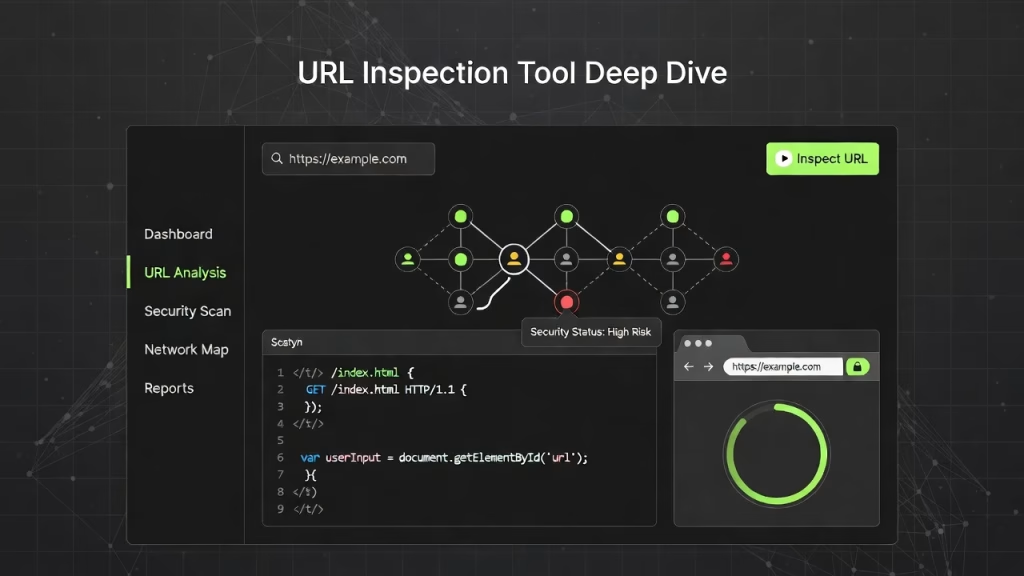
URL Inspection Tool Deep Dive
How URL Inspection Works?
The URL Inspection tool is one of the most powerful features within google search console, allowing you to analyze how a specific page on your website is viewed and processed by Google. It provides real-time insights into indexing status, crawl behavior, and potential issues that may affect your search engine visibility.
Understanding how this tool works is essential for diagnosing problems and ensuring that your pages are properly indexed and optimized for search performance.
Real-Time URL Analysis
The URL Inspection tool allows you to check the current status of any page on your website.
When you enter a URL, the tool provides:
- Indexing status (whether the page is indexed or not)
- Last crawl date
- Canonical URL information
- Mobile usability status
- Coverage and enhancement details
This real-time analysis helps you understand exactly how Google interacts with your page.
Indexing Status and Visibility
One of the primary functions of the tool is to show whether your page is included in Google’s index.
Possible outcomes include:
- Indexed: The page is available in search results
- Not Indexed: The page is excluded due to an issue
- Discovered but not indexed: Google found the page but hasn’t indexed it yet
These insights help you identify why certain pages are not appearing in search results.
Live URL Testing
The tool also allows you to perform a live test of your page.
This feature helps you:
- Check if recent changes are recognized by Google
- Identify real-time crawl issues
- Confirm page accessibility
Live testing is especially useful after fixing technical SEO problems or updating content.
Canonical Tags and Duplicate Content Checks
The URL Inspection tool provides information about canonical tags, which tell Google which version of a page should be indexed.
This helps you:
- Prevent duplicate content issues
- Ensure the correct page version is prioritized
- Maintain a clean and organized index
Proper canonicalization improves your overall website ranking.
Enhancements and Structured Data Insights
The tool also reports on enhancements such as structured data and mobile usability.
You can:
- Detect errors in structured data
- Identify missing schema markup
- Check mobile-friendly status
These enhancements contribute to better SERP visibility and richer search results.
Requesting Indexing
After making changes to a page, you can use the URL Inspection tool to request indexing.
This feature allows you to:
- Submit updated content for faster indexing
- Notify Google of new pages
- Speed up visibility in search results
It is particularly useful for time-sensitive content or newly published pages.
Continuous Monitoring and Optimization
Using the URL Inspection tool regularly helps maintain strong SEO performance.
You should:
- Check important pages frequently
- Monitor indexing after updates
- Identify and fix issues quickly
Consistent use ensures your site remains optimized and competitive.
Final Thoughts on How URL Inspection Works
The URL Inspection tool is essential for understanding how individual pages perform in search. By using it effectively within google search console, you can diagnose issues, improve indexing, and enhance your overall search engine visibility.
Mastering this tool gives you greater control over your website’s performance and helps ensure your content reaches its full ranking potential.
Troubleshooting Indexing Problems
Use this tool to:
- Identify missing pages
- Fix indexing delays
- Ensure content visibility

Crawl Errors and Technical SEO
Identifying Crawl Errors
Crawl errors prevent search engines from accessing your pages.
Common issues:
- 404 errors
- Server errors
- Redirect issues
Robots.txt Testing and Fixes
Your robots.txt file controls crawling behavior.
Best practices:
- Avoid blocking important pages
- Test using Google tools
- Keep it clean and simple
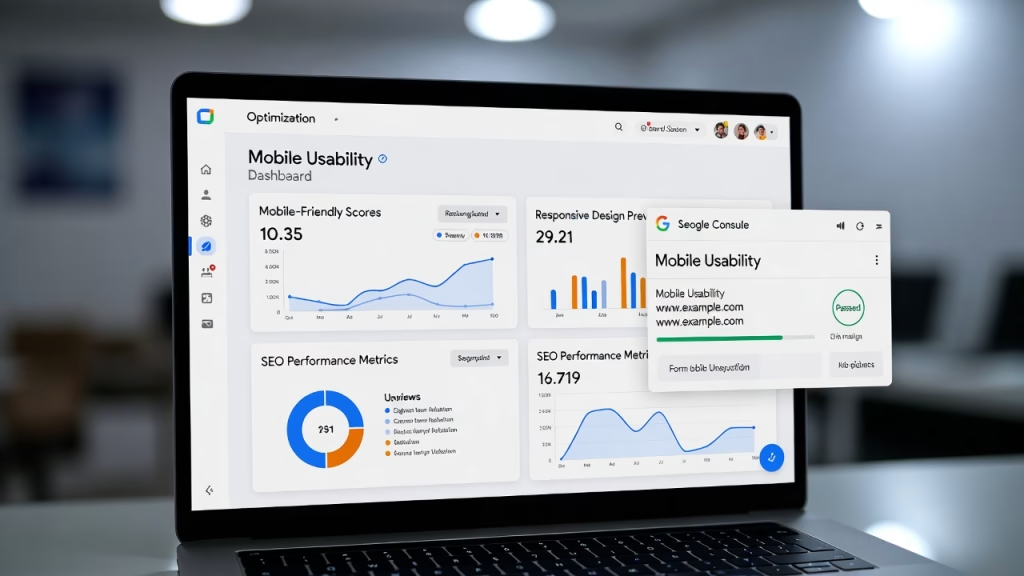
Mobile Usability Optimization
Mobile SEO Importance
Most users browse on mobile devices. Google prioritizes mobile-friendly sites.
Fixing Mobile Issues
Improve mobile usability by:
- Using responsive design
- Fixing text size issues
- Avoiding clickable element overlap
Backlink Data and Authority
Understanding External Links
Backlinks are a major ranking factor.
Google Search Console shows:
- Who links to your site
- Which pages get links
- Anchor text
Improving Domain Authority
To build authority:
- Create high-quality content
- Earn backlinks naturally
- Use content marketing strategies
Structured Data and Enhancements
Schema Markup Benefits
Structured data helps search engines understand your content better.
Benefits:
- Rich results
- Higher CTR
- Better visibility
AMP Validation
AMP improves mobile performance.
Ensure:
- Proper validation
- Fast loading
- Error-free implementation
Advanced SEO Strategies
Freelance Technical SEO
Using google search console, freelance technical SEO experts can:
- Identify crawl and indexing issues
- Optimize site structure
- Improve performance metrics
Content Marketing Integration
Combine content marketing with data insights from Google Search Console to:
- Target high-performing keywords
- Improve content quality
- Increase engagement
Site Migration Best Practices
During site migration:
- Monitor indexing status
- Update sitemaps
- Fix broken links
This prevents traffic loss and maintains rankings.
Common Mistakes to Avoid
Avoid these errors:
- Ignoring crawl errors
- Not submitting sitemaps
- Overlooking mobile usability
- Misusing canonical tags
Future of Google Search Console
SEO is evolving rapidly. Future trends include:
- AI-driven insights
- Enhanced performance tracking
- Better integration with analytics tools
FAQs About Google Search Console
1.Is Google Search Console free?
Yes, it is completely free to use.
2. How often should I check Google Search Console?
At least once a week for optimal performance monitoring.
3. Can Google Search Console improve rankings?
Indirectly, yes. It helps identify and fix issues that affect rankings.
4. What is the most important report?
The performance report is crucial for tracking clicks, impressions, and CTR.
5. How do I fix crawl errors?
Identify errors in the coverage report and resolve them promptly.
6. Does Google Search Console show backlinks?
Yes, it provides backlink data and linking domains.